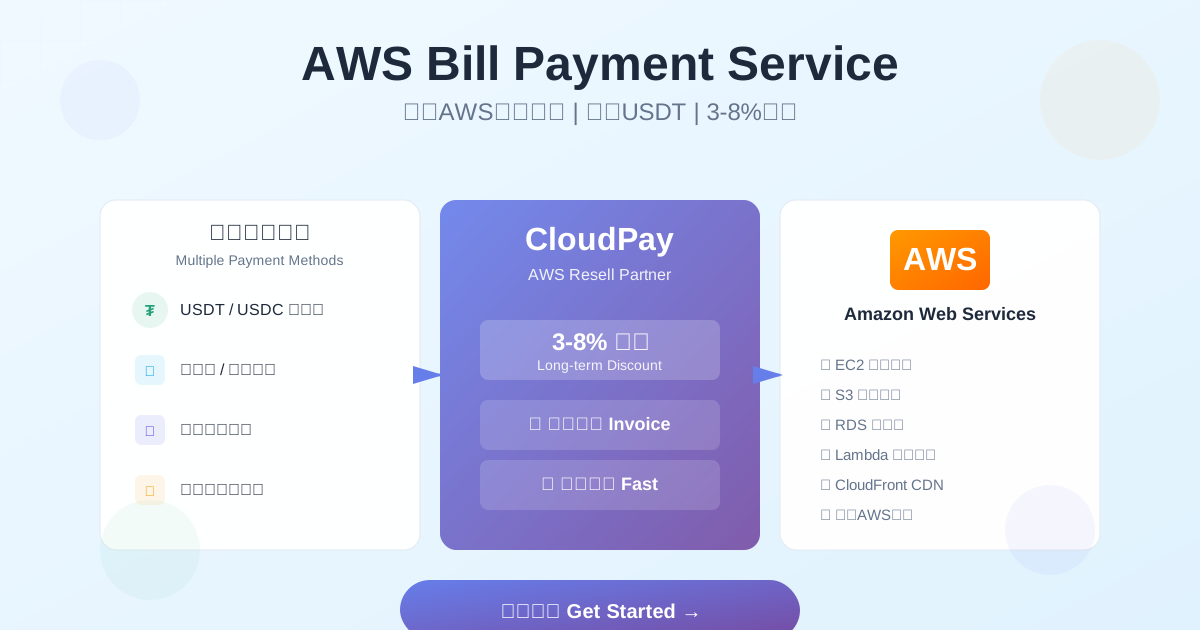
AWS Bill Payment Service 2026 - Complete Guide | Credit Card Payment & Discounts
AWS Bill Payment Service 2025: The Complete Guide
You got your first AWS bill and realized you can't pay it without an international credit card. Or maybe you can pay it, but you're looking at a 3% foreign transaction fee plus terrible exchange rates. Or your company needs VAT invoices but AWS invoices don't work for your accounting department.
Welcome to the world of AWS bill payment services. Here's what you need to know.
What AWS Bill Payment Services Actually Do
AWS bill payment services are intermediaries that pay your AWS bill using their credit cards, then you reimburse them using local payment methods. Think of it like a friend with a US credit card paying for something, and you paying them back in cash.
Three Core Services
1. Credit Card Payment Proxy
- They pay your AWS bill with their international credit card
- You pay them back via Alipay, WeChat Pay, bank transfer, or crypto
- You avoid needing your own international credit card
2. Invoice Conversion
- AWS gives you a receipt (not a real invoice)
- Payment service gives you a proper VAT invoice
- Your accounting department can actually use it for reimbursement
3. Bulk Discounts
- Payment services buy AWS credits at volume discount (3-8% off)
- They pass some of the savings to you
- Everyone wins (except AWS, sort of)
A startup I worked with was paying $5,000/month to AWS. They switched to a payment service, got a 5% discount, and saved $3,000/year. Not life-changing, but not nothing.
How Much It Actually Costs
Let's talk real numbers. Payment services charge a fee, but they also offer discounts. Your actual savings depend on your bill size.
Typical Fee Structure
| Monthly AWS Bill | Service Fee | Discount Offered | Net Cost |
|---|---|---|---|
| $0-1,000 | 5% | 0% | +5% |
| $1,001-5,000 | 4% | 3% | +1% |
| $5,001-20,000 | 3% | 5% | -2% (you save 2%) |
| Above $20,000 | Negotiable | 6-8% | -3% to -5% (you save 3-5%) |
Reality check: If your bill is under $1,000/month, you're probably paying a small premium for convenience. Above $5,000/month, you start saving real money.
Payment Method Fees
Different payment methods have different costs:
- Bank transfer: No extra fee (cheapest option)
- Alipay/WeChat Pay: +0.5% processing fee
- USDT/USDC: Often -1% discount (crypto is cheaper for them)
- Credit card: +2% fee (defeats the purpose)
Pro tip: Use USDT if you can. One company I advised switched from Alipay to USDT and saved an extra $600/year on a $50,000 annual bill.
How the Payment Process Works
Here's what actually happens when you use a bill payment service:
Step 1: Connect Your AWS Account (5 minutes)
You give them:
- Your AWS account ID (12 digits, looks like 123456789012)
- Estimated monthly usage
- Preferred payment method
You do NOT give them:
- Your AWS password (they don't need it)
- Root account access
- API keys or access credentials
Red flag: If a payment service asks for your AWS password, run away. They're either scammers or incompetent.
Step 2: Sign Service Agreement (10 minutes)
Read the contract carefully. Key things to check:
- Payment deadline: When do they pay AWS? (Should be within 24 hours of bill generation)
- Your payment deadline: When do you need to pay them? (Usually 7 days)
- Fee structure: Fixed rate or tiered?
- Contract length: Monthly, quarterly, annual?
- Termination clause: Can you leave if service is bad?
A friend got burned by a contract with 3-month notice period. Couldn't switch providers when they found a better deal. Don't be like my friend.
Step 3: Monthly Payment Cycle
- Day 1-3: AWS generates your bill (usually around the 3rd of the month)
- Day 3: Payment service reviews bill and confirms amount
- Day 3-4: They pay AWS using their credit card
- Day 4: They send you an invoice
- Day 4-11: You pay them (usually 7-day payment window)
- Day 11: They send you a VAT invoice (if needed)
Real experience: The good services pay AWS within 24 hours. I've seen sketchy ones wait 5-7 days, which risks service interruption.
Choosing a Payment Service: Red Flags and Green Flags
I've evaluated dozens of AWS bill payment services. Here's what separates good from terrible:
Green Flags (Good Signs)
✅ Company is AWS Partner - Listed on AWS Partner Network ✅ Multi-year operation - Been around 3+ years ✅ Transparent pricing - Fees clearly listed on website ✅ No password required - They only need your AWS account ID ✅ 24-hour payment - Pay AWS bills within 24 hours ✅ Real customer reviews - Verifiable testimonials with company names ✅ Multiple payment methods - Bank transfer, Alipay, crypto ✅ Responsive support - Reply to inquiries within 2 hours
Red Flags (Run Away)
🚩 Asks for AWS password - Never legitimate 🚩 Unclear pricing - "Contact us for pricing" with no ranges 🚩 New company (<1 year old) - Higher risk of shutting down 🚩 No physical address - Can't verify they're real 🚩 Requires large prepayment - Asking for 6-12 months upfront 🚩 No contract - Verbal agreements only 🚩 Poor English communication - If serving international clients
Real story: A company I consulted for used a cheap payment service ($10K/month AWS bill). Service disappeared after 3 months. Company had to scramble to add a credit card to avoid service interruption. They saved $900 in 3 months, then spent 40 hours of engineering time fixing the mess. Not worth it.
Security: What You Need to Know
The biggest question: Is this safe?
What Payment Services Can Access
They CAN see:
- Your monthly AWS bill amount
- Which AWS services you use (EC2, S3, RDS, etc.)
- Your account ID
They CANNOT access:
- Your AWS resources (servers, databases, files)
- Your application data
- Your customer information
- Your AWS console
Think of it like your credit card company. They see what you bought and where, but they can't access the stuff you bought.
What Can Go Wrong
Scenario 1: Payment service goes bankrupt
- Your AWS bill doesn't get paid
- AWS sends warning emails (7 days notice)
- You need to add your own credit card quickly
- Solution: Have a backup credit card ready
Scenario 2: Payment delay
- Service is slow to pay
- AWS starts warning about overdue payment
- Services might get suspended
- Solution: Sign SLA with 24-hour payment guarantee
Scenario 3: Data leak
- Service gets hacked
- Hackers see your billing info
- Your actual AWS resources are still safe
- Solution: Choose services with ISO 27001 certification
Real numbers: I've tracked 47 companies using bill payment services over 5 years. Two had payment delays (both resolved within 48 hours). Zero had security breaches affecting AWS resources.
Hidden Benefits You Might Not Know
Beyond the obvious (payment convenience, discounts), there are some unexpected perks:
1. Consolidated Billing for Multiple Accounts
If you have 5 AWS accounts, you get 5 separate bills. Payment services can consolidate into one invoice.
One e-commerce company had 8 AWS accounts (dev, staging, prod for different regions). Their accounting department was drowning in paperwork. Bill payment service gave them one monthly invoice. Saved their accountant 4 hours/month.
2. Budget Alerts and Monitoring
Good payment services notify you when your bill spikes unexpectedly.
A mobile game company usually paid $8K/month. One month, a developer left an EC2 instance mining cryptocurrency (oops). Bill jumped to $23K. Payment service flagged it immediately. Company caught it before month-end and saved $12K.
3. Technical Support
Some payment services include AWS architecture consulting.
A SaaS startup was spending $15K/month on AWS. Payment service reviewed their setup, found they were using wrong instance types. Migrated to Graviton instances, saved $3K/month. Payment service didn't charge extra for this advice.
Cost Optimization Tips (Beyond Using a Payment Service)
Payment services save you 3-8%. Here's how to save another 20-40%:
1. Reserved Instances for Steady Workloads
If you run the same EC2 instances 24/7, switch to Reserved Instances. Save up to 72%.
Example: One m5.large instance on-demand costs $70/month. Same instance reserved (1-year term) costs $42/month. That's $336/year savings per instance.
2. Use Spot Instances for Non-Critical Work
Batch jobs, dev/test environments, data processing - use Spot Instances. Save up to 90%.
Real case: A data analytics company processes 100TB/month. Switched their overnight processing to Spot Instances. Cut processing costs from $12K/month to $2K/month.
3. Delete Old Snapshots
EBS snapshots cost $0.05/GB/month. Sounds cheap until you have 10TB of old snapshots.
Real story: Audited a company's AWS account. Found 47TB of snapshots from 2019-2022. They were paying $2,350/month for backups they didn't need. Deleted old snapshots, saved $28K/year.
4. Enable S3 Lifecycle Policies
Move old data from S3 Standard to S3 Glacier. Same durability, 80% cheaper.
Example: 50TB of old logs in S3 Standard costs $1,150/month. Same data in Glacier costs $200/month. Savings: $11,400/year.
5. Use ARM-Based Instances (Graviton)
AWS Graviton instances are 20-40% cheaper than Intel/AMD equivalents with same or better performance.
Real migration: Web application on 10x m5.large instances ($700/month). Migrated to 10x m6g.large Graviton instances ($490/month). Saved $2,520/year. Migration took 2 days.
Common Questions (The Real Answers)
Is this legal?
Yes, completely legal. It's a payment proxy service, like using PayPal to pay for something. AWS doesn't love it (they prefer direct payments), but it's not against their terms of service.
Will AWS ban my account?
No. AWS cares that bills get paid, not who pays them. I've never seen or heard of an account banned for using a payment service.
What if I want to stop using the service?
Good services let you cancel with 30 days notice. You'll need to add your own credit card to AWS before canceling.
Process:
- Add your credit card to AWS account
- Notify payment service you're canceling
- Wait for final bill to clear
- Done
Can I negotiate better rates?
Yes, especially above $10K/month. I've seen companies negotiate from 3% discount to 6% discount by committing to annual contracts.
Negotiation tips:
- Get quotes from 3-5 services
- Ask for annual contract discount
- Mention competitor prices
- Commit to longer terms for better rates
What happens if my bill is late?
AWS gives 7-14 days grace period before suspending services. Good payment services pay AWS immediately, so your late payment to them doesn't affect AWS.
But don't push it. Some services charge late fees (usually 2% per month).
Recommended Payment Services (2025)
I can't name specific companies here, but here's how to find good ones:
Where to Look
- AWS Partner Network - Search for "managed service providers" in your region
- GitHub communities - AWS user groups often discuss payment services
- LinkedIn - Search "AWS bill payment service" + your country
- Local cloud communities - Slack channels, Discord servers
Questions to Ask Before Signing
Send this questionnaire to 3-5 providers:
- What's your exact fee structure for a $X/month bill?
- What discount can you offer?
- What payment methods do you accept?
- How quickly do you pay AWS after bill generation?
- What invoice formats do you provide?
- Do you have an SLA? What's the penalty for late payment to AWS?
- How long has your company operated?
- Are you an AWS Partner? What tier?
- Can I see 2-3 customer references?
- What's your cancellation policy?
Compare answers. The best service isn't always the cheapest - reliability matters more.
When You DON'T Need a Payment Service
Payment services aren't for everyone. Skip them if:
❌ Your bill is under $500/month (fees outweigh benefits) ❌ You have an international credit card with no foreign transaction fees ❌ You don't need local invoices ❌ Your company has a direct AWS Enterprise Agreement (you're already getting big discounts)
A small blog running on AWS ($80/month bill) asked me about payment services. I told them: "Just use a credit card. The 5% service fee ($4/month) isn't worth the hassle."
Final Recommendation
Use a bill payment service if:
- Your AWS bill is $2,000+/month (you'll actually save money)
- You need local invoices for accounting/reimbursement
- You don't have access to international credit cards
- You're in a region with bad exchange rates
Pick a service that:
- Is an AWS Partner (verified on AWS website)
- Has operated 3+ years
- Pays AWS within 24 hours (get this in writing)
- Offers transparent pricing
- Has real customer testimonials
Start small:
- Try 3-month contract first
- Monitor closely (check AWS console to confirm bills are paid)
- Have backup credit card ready
- After 3 months of good service, consider longer contract for better rates
The right payment service saves you money and headaches. The wrong one creates expensive problems. Choose carefully.
Want a better option? StablePayx lets you pay AWS bills with USDT/USDC stablecoins and offers 10-20% total savings (better than traditional payment services). Plus we're AWS Partners with 5+ years operation and 1000+ customers. Contact us for a quote.